Know exactly what's in stock, without the spreadsheets
Sell online, let customers place their own orders, track batches and expiry dates, and manage multiple storefronts — without an implementation project or a consultant to get started.
Watch a 60-second preview, then open a sample warehouse and try it yourself.
Free plan available · No credit card · Set up in an afternoon
See Count My Boxes in action
A short walkthrough of importing your catalog, the customer portal, quick edit, batch tracking, and barcode scanning.
See the actual product — not a stock photo
This is the real software. Here's what running your inventory looks like from day one.
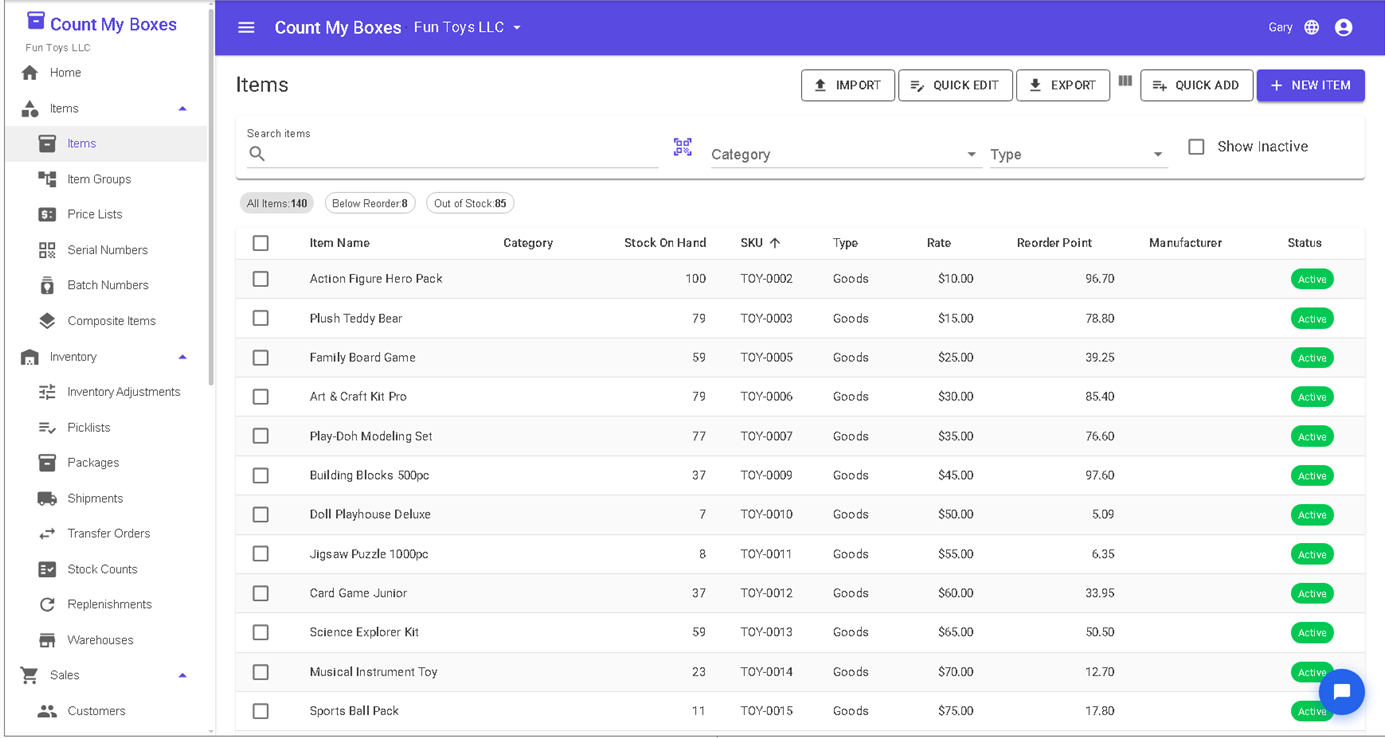
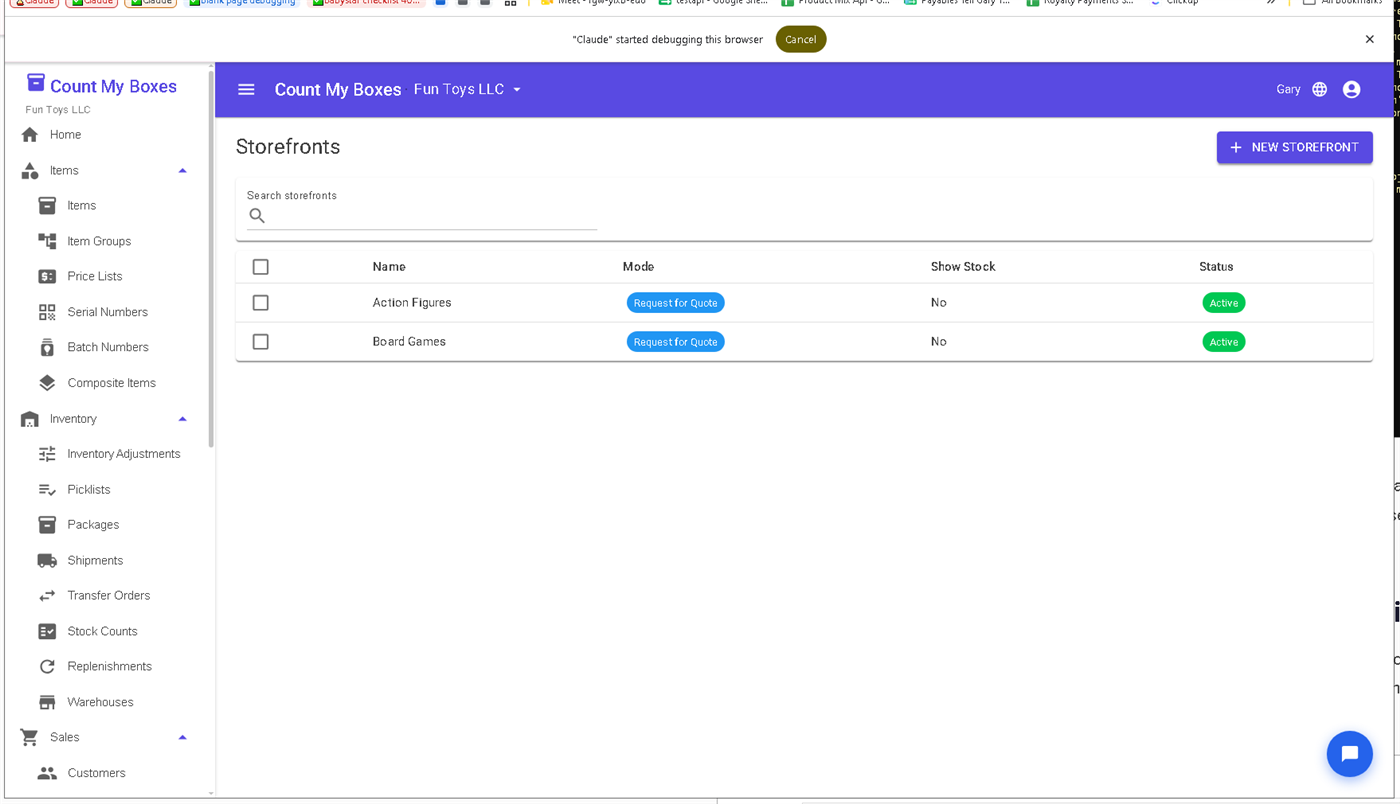
Customers place their own orders through their private storefront, at their own prices.
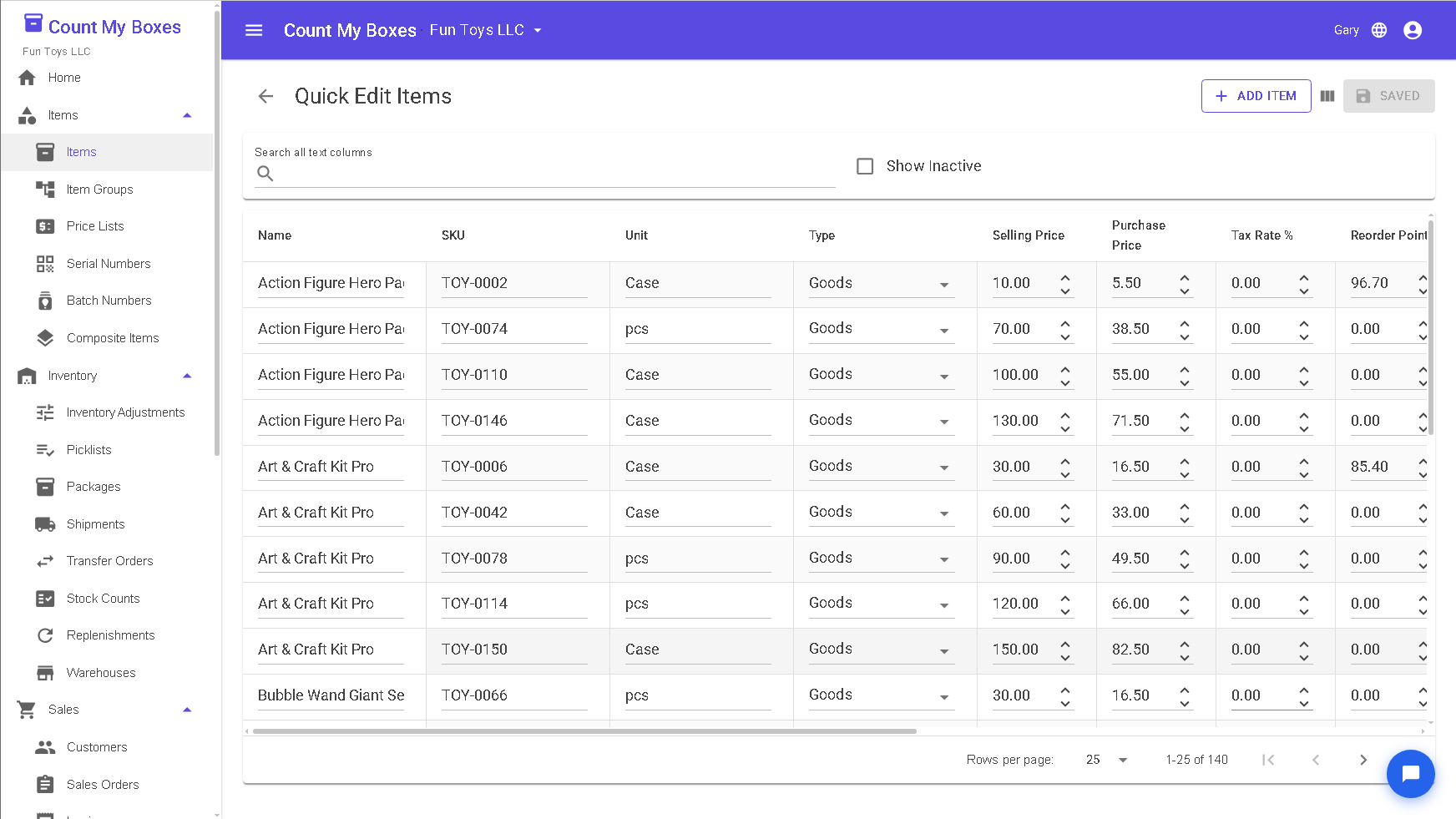
Edit hundreds of items in a spreadsheet-style grid instead of one form at a time.
Inventory software shouldn't require a consultant to set up.
Enterprise inventory platforms were built for implementation teams, not for the people who actually run warehouses. We built Count My Boxes differently.
Setup that takes weeks, not hours
Most enterprise inventory systems assume you'll have an IT team and a consultant configuring them. A lean warehouse team shouldn't need weeks of onboarding just to start tracking stock.
Integrations that don't quite work
E-commerce integrations that only sync one direction, or that require third-party middleware to function properly, create more work than they save. Your inventory system should connect — not require maintenance.
Features you pay for that aren't quite finished
A customer portal that requires heavy customization to be usable, or a price list feature that works for simple cases but breaks on your actual setup — "half-baked" is the word inventory teams use most often to describe this pattern.
Everything you need to run your inventory — nothing you have to configure first
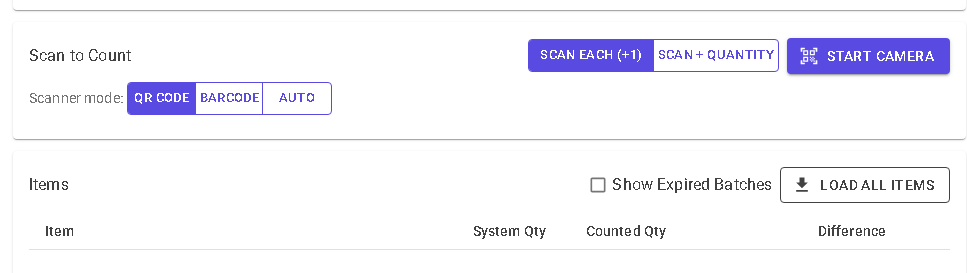
Scan barcodes from your phone. No app to install.
Add a SKU or barcode to any item in your catalog. When it's time to count stock or pick an order, open Count My Boxes on any phone — point the camera, and the item is found instantly. Auto mode recognises both QR codes and standard 1D barcodes.
- Assign SKUs and barcodes to any inventory item
- Scan during stock counts, orders, and purchase receives
- Works on iPhone, Android, or any modern mobile browser
- Auto, QR Code, and 1D Barcode scan modes
Spreadsheets, legacy ERP, or Count My Boxes
Where most teams start, where they get stuck, and what we built instead.
| Spreadsheets | Legacy / enterprise ERP | Count My Boxes | |
|---|---|---|---|
| Time to get started | Minutes — but breaks as you grow | Weeks of setup, often a consultant | An afternoon — import a CSV and go |
| Customer self-service orders | No — email and phone only | Sometimes, with heavy customization | Built in — a portal per customer |
| Batch & expiry tracking | Manual columns that drift | Yes, in higher tiers | Built in, with FEFO and alerts |
| Barcode scanning | No | Yes — with scanner hardware | Any phone browser — no app, no hardware |
| Real-time stock you can trust | Only as fresh as the last edit | Yes | Yes — updates as orders move |
| Price | Free, until it costs you a bad count | Per-seat fees plus implementation | Free plan available |
Free plan available · No credit card · Set up in an afternoon
Your product catalog imports in minutes, not days.
Export a spreadsheet from your current system, upload it, and your entire catalog is live. No mapping wizards. No IT ticket required.
Export your product list
Export your items from your current system as a CSV — every inventory tool has this. Or start from our template if you're migrating from spreadsheets.
Upload to Count My Boxes
Our CSV importer reads item names, SKUs, prices, stock levels, and reorder points in one upload. Your catalog is live immediately.
Set up your team & storefronts
Add your team members, configure customer portals, and open your storefronts. Most teams are taking orders on the same day they import.
Built by people who actually run a warehouse
Count My Boxes wasn't designed in a boardroom. We built it to run our own inventory — counting real boxes, shipping real orders — because the existing tools were either too basic or needed a consultant to switch on. Everything here exists because we needed it ourselves.
What we're building next
We're early and moving quickly. Here's what's on the bench — and the fastest way onto this list is to ask.
Questions, answered
How much does it cost?
How do I move my data over?
Do I need to install anything?
How long does setup take?
Can my customers place their own orders?
Is my data secure?
Ready to take control of your inventory?
Import your catalog and start taking orders today — free to start, no credit card required.
Start freeLearn more
More about Count My Boxes and how it fits your team